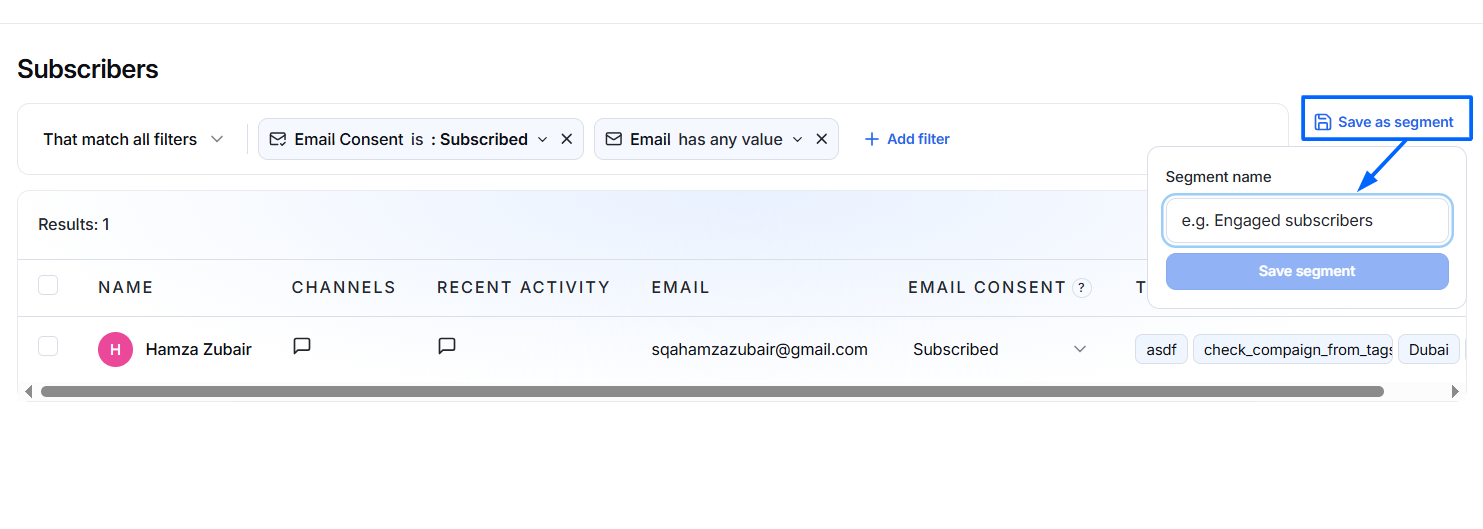
The Subscribers page displays only contacts who have opted in to receive marketing communications.
A subscriber is a customer who has granted permission to receive emails, newsletters, promotional campaigns, or follow-up messages.
Unlike All Contacts, this page contains only contacts whose Email Consent status is Subscribed.
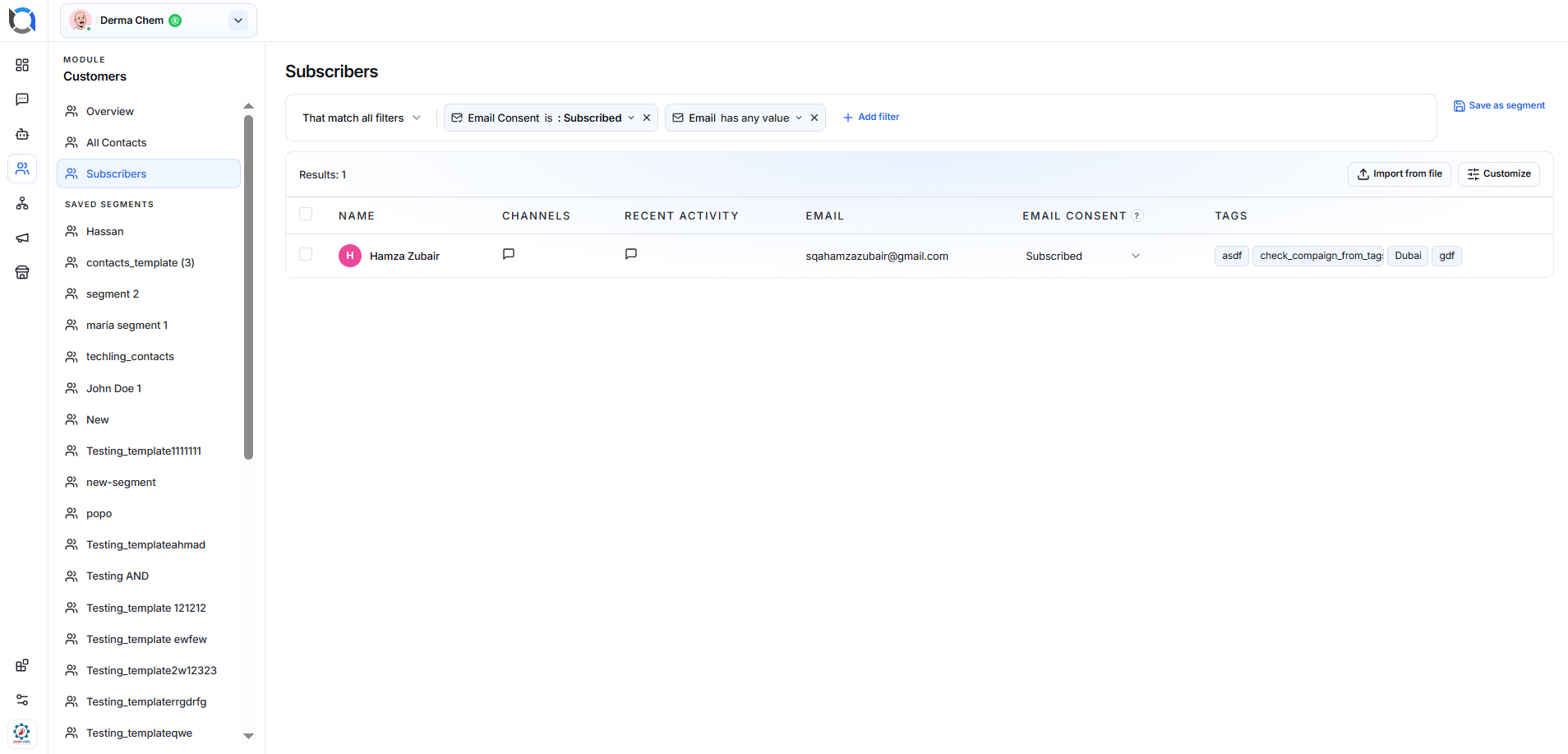
Subscriber Filters
Use filters at the top of the page to quickly find specific subscribers.
You can filter contacts based on criteria such as:
- Email Consent
- Email Address
- Tags
- Custom Fields
- Activity
- Other available customer attributes
Multiple filters can be combined to narrow your search results.

Subscriber List
The subscriber table provides important information for each contact.

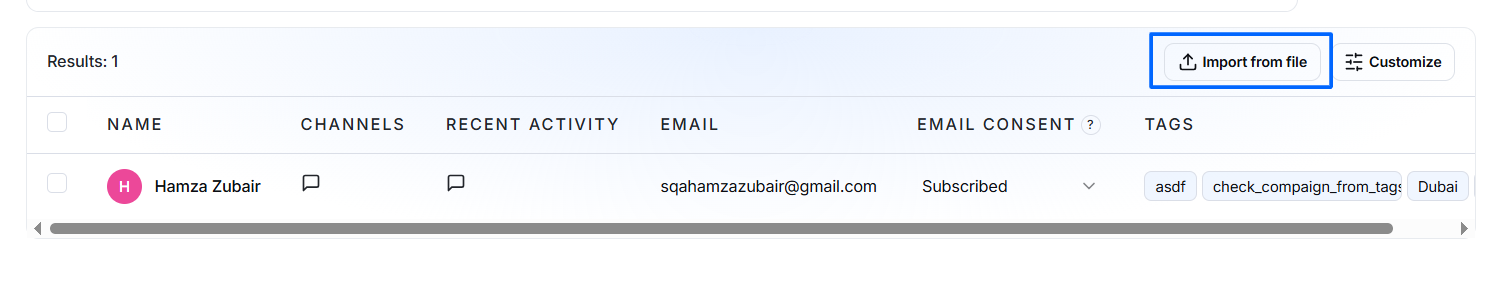
Import Subscribers
Click Import from File to upload contacts in bulk.
The system imports customer information from supported file formats and adds them to your customer database.
This feature is useful when migrating contacts from another system or importing marketing lists.
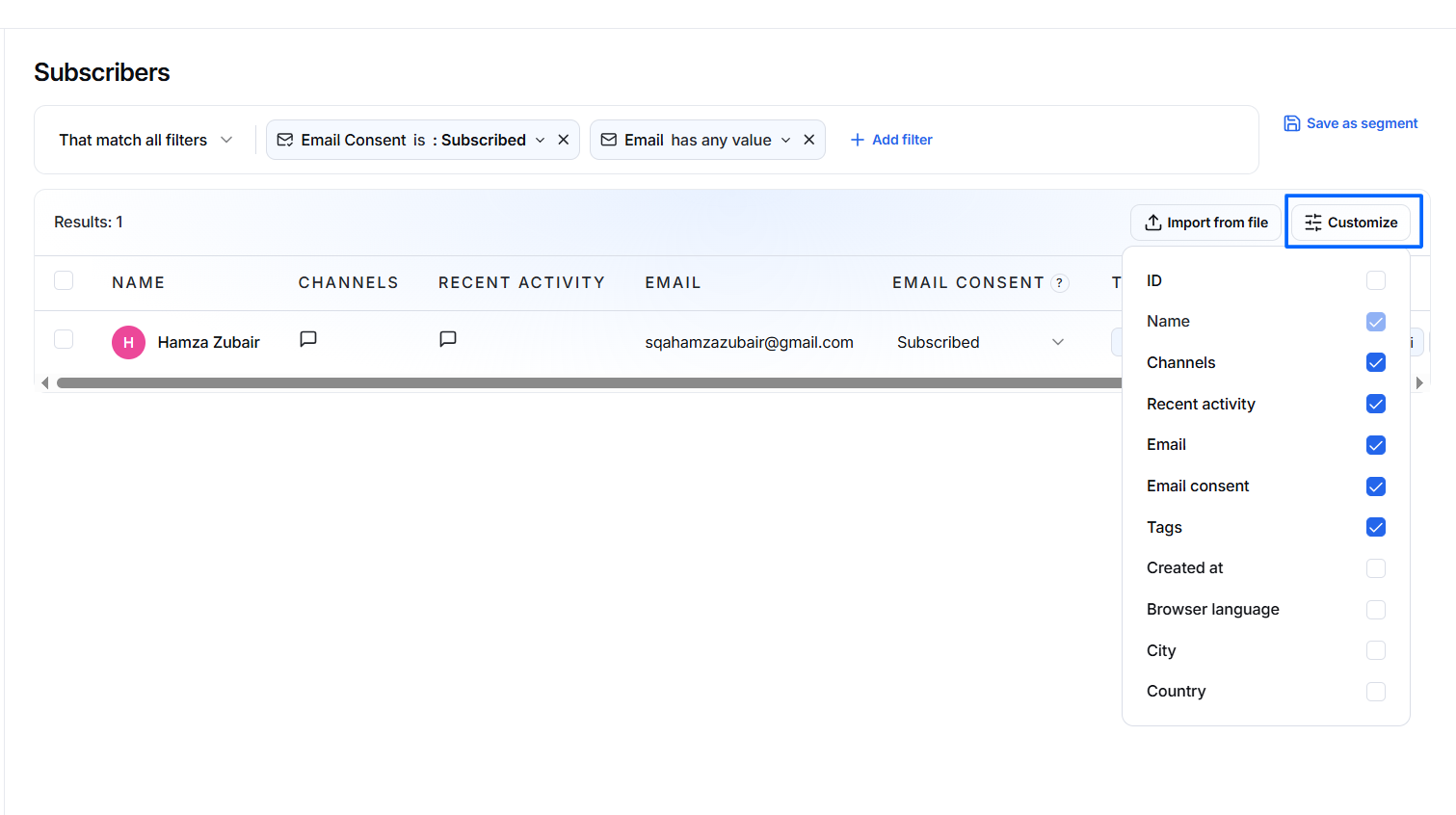
Customize Columns
Click Customize to personalize the information displayed in the subscriber table.
You can choose which columns appear based on your workflow and reporting needs.
Save as Segment
After applying filters, click Save as Segment to save the filtered audience for future use.
Saved segments eliminate the need to recreate the same filters each time.