
The Contact Properties page lets you view and manage the properties used to store information about your contacts. It includes both default properties and custom properties created for the chatbot.
View Contact Properties
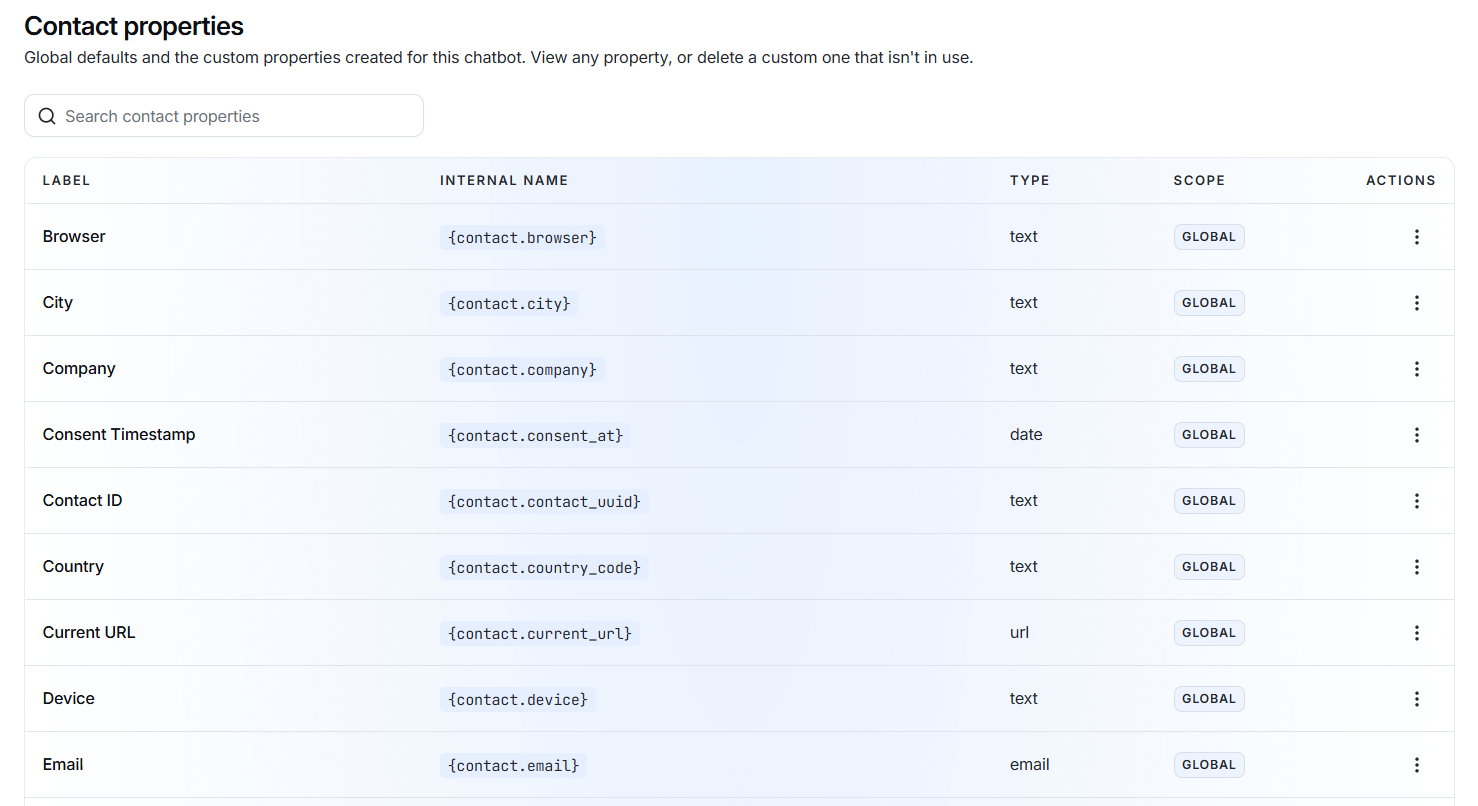
The properties are displayed in a table with the following information:
- Label – The name of the property, such as Browser, City, Company, or Email.
- Internal Name – The system name used to reference the property, for example {contact.city}.
- Type – The type of information stored, such as text, date, email, URL, or boolean.
- Scope – Shows whether the property is Global or custom.
- Actions – Provides options to view or manage the property.
Search Properties
Use the Search contact properties field to quickly find a specific property.
For example, search for:
to find email-related contact properties.
View Property Details
Click the three-dot menu under Actions and select View to see the details of a property.
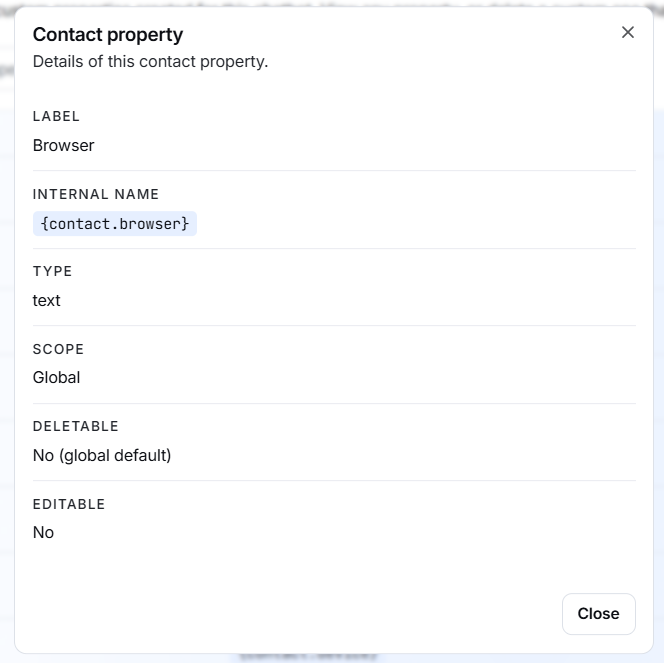
The details panel displays:
- Label
- Internal Name
- Type
- Scope
- Deletable – Shows whether the property can be deleted.
- Editable – Shows whether the property can be edited.
For example, a default Browser property may show:
Deletable: No (global default) Editable: No
This means the property is a system-defined property and cannot be modified or removed.
Default and Custom Properties
Contact properties can be either:
Global default properties Built-in properties provided by the system, such as Browser, City, Country, Email, and Device.
Custom properties Additional properties created to store business-specific contact information.