AI Employee Dashboard
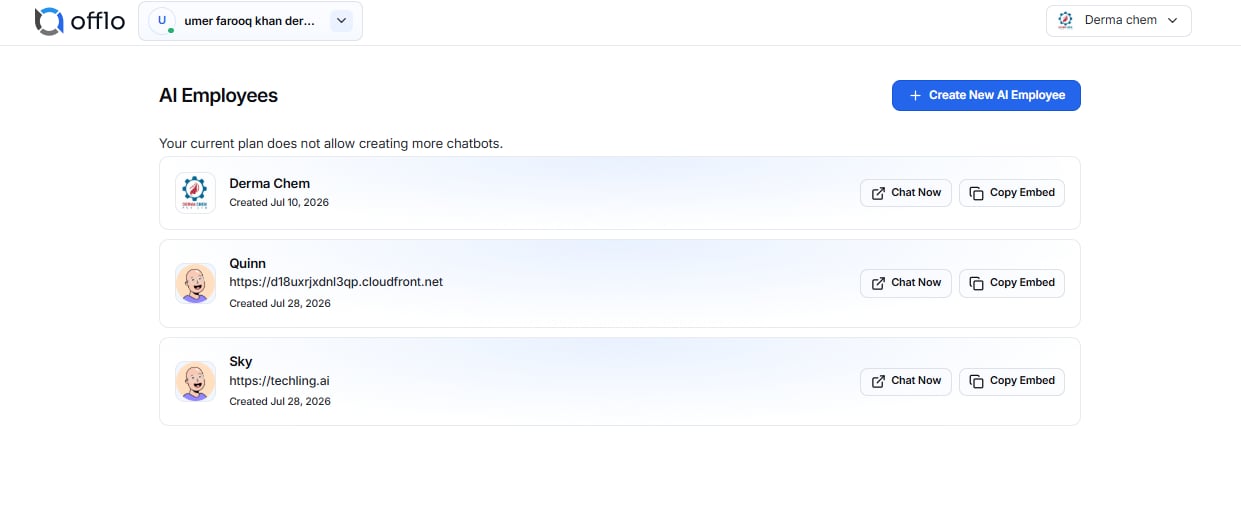
The AI Employee Dashboard displays all AI Employees created within your current organization.
From this page you can:
- View all AI Employees.
- Open an AI Employee for configuration.
- Create a new AI Employee.
- Manage existing AI Employees.
- Access customer conversations.
- Switch between organizations.
Note: The number of AI Employees you can create depends on your current subscription plan.
Once your plan limit is reached, the Create AI Employee option will be disabled until you upgrade your subscription or remove an existing AI Employee.
Creating a New AI Employee
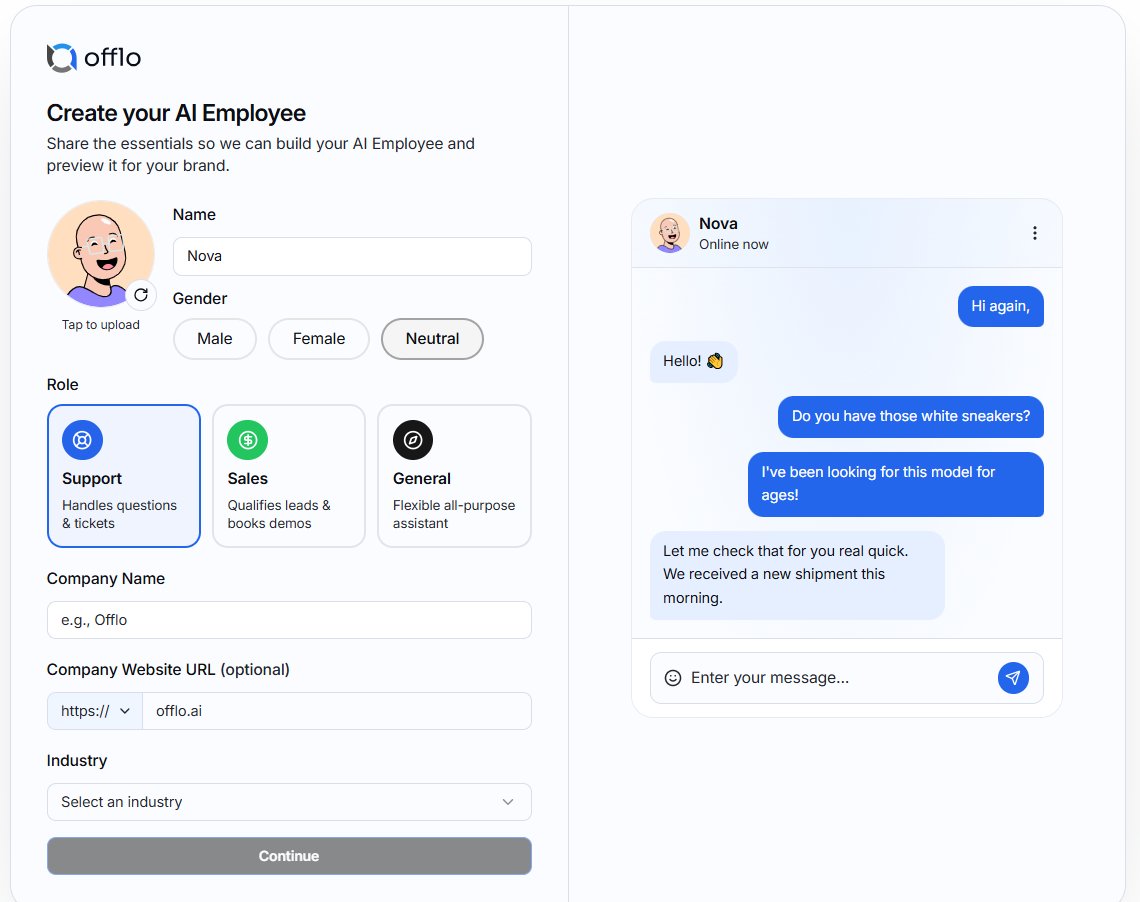
To create a new AI Employee:
- Click Create AI Employee.
- Complete the required information:
- AI Employee Name
- Avatar (optional)
- Gender
- Role (Support, Sales, or General)
- Company Name
- Website URL (optional)
- Industry
- Click Continue.
- Offlo will generate and configure your AI Employee.
Each AI Employee can be trained independently for different businesses, departments, or use cases.
Subscription Limits
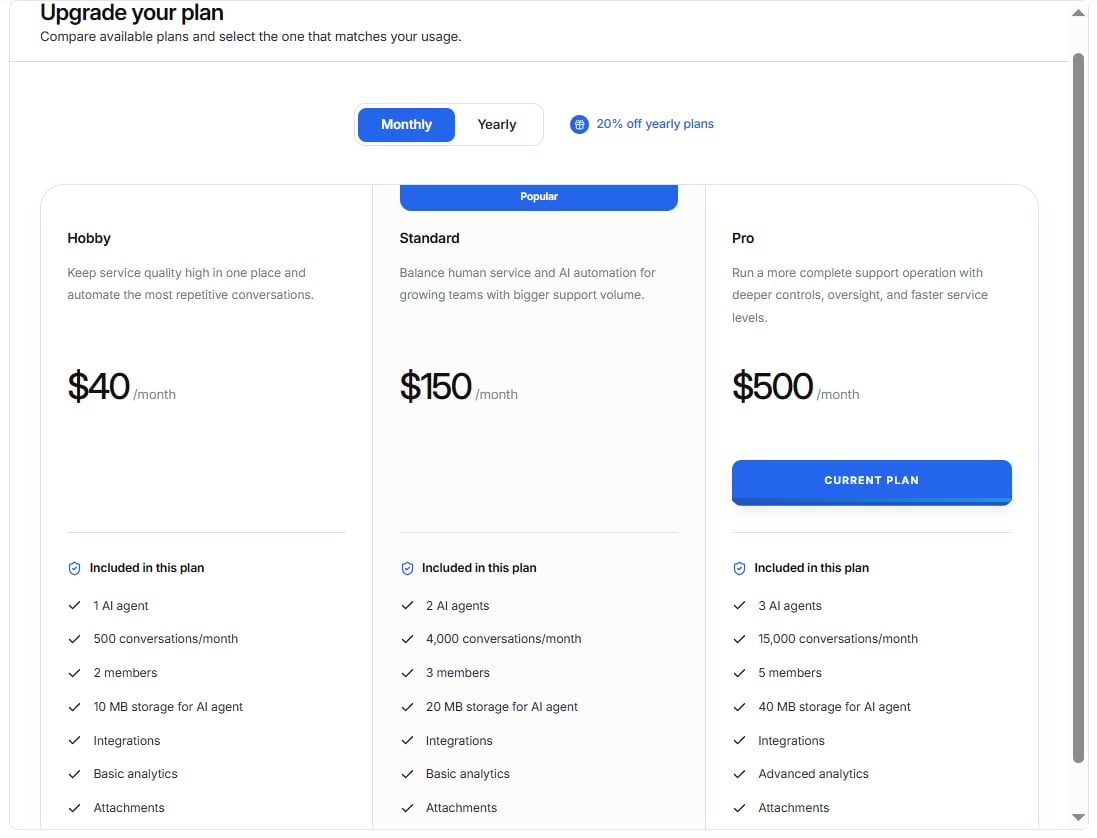
Some features depend on your active subscription.
Subscription limits may include:
- Specific number of AI agents
- Specific number of conversations/month
- Specific number of members
- Limited MBs storage for AI agent
- Integrations
- Basic analytics
- Attachments
When a limit is reached, Offlo will notify you and provide an option to upgrade your subscription.