
The Affiliate Program allows users to promote Offlo and earn commissions when customers subscribe through their unique referral links.
How the Affiliate Program Works
- Apply to become a promoter.
- Wait for the administrator to review your application.
- Sign in to check your application status.
- Receive a unique referral link after approval.
- Share the referral link with your audience.
- Earn commission when a referred user purchases a paid subscription.
Join as an Affiliate
To apply for the Affiliate Program:
- Click Join as Affiliate.
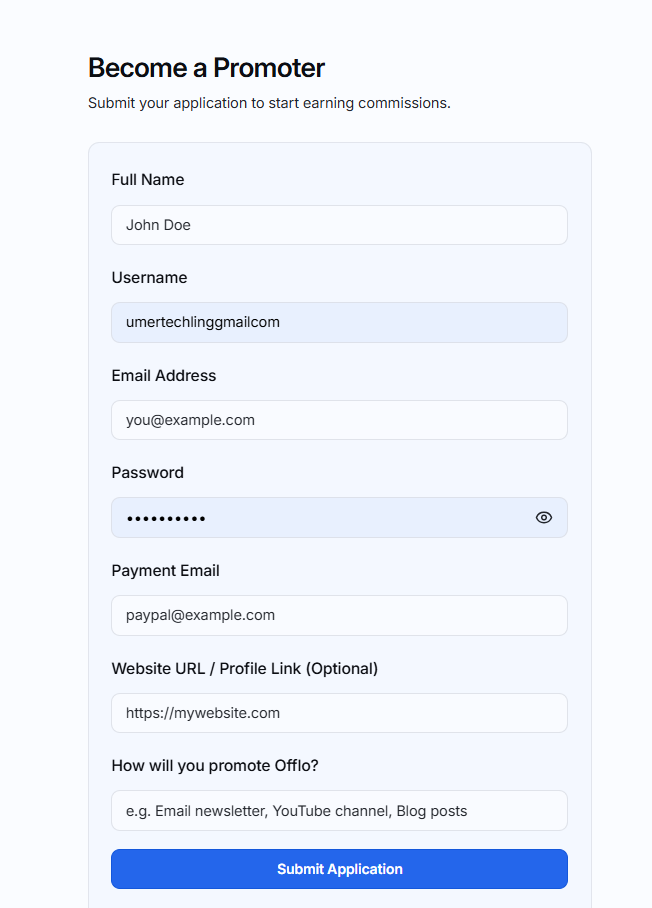
- The Become a Promoter application form will open.
- Complete the required information.
- Click Submit Application.
Application fields
- Full Name: Enter your complete name.
- Username: Create a unique username for your promoter account.
- Email Address: Enter an active email address.
- Password: Create a secure password for signing in.
- Payment Email: Enter the email address associated with your payment account.
- Website URL/Profile Link: Add your website or social media profile. This field is optional.
- How will you promote Offlo?: Briefly explain how you plan to promote Offlo, such as through social media, email newsletters, YouTube videos, or blog posts.
Application Approval
After submitting the form, your application is sent to the administrator for review.
You can sign in to your promoter account while the application is under review. However, the application status will remain Pending, and the referral link will not be available until the administrator approves your application.
Sign In to Your Promoter Account
If you already have a promoter account:
- Open the Affiliate Program page.
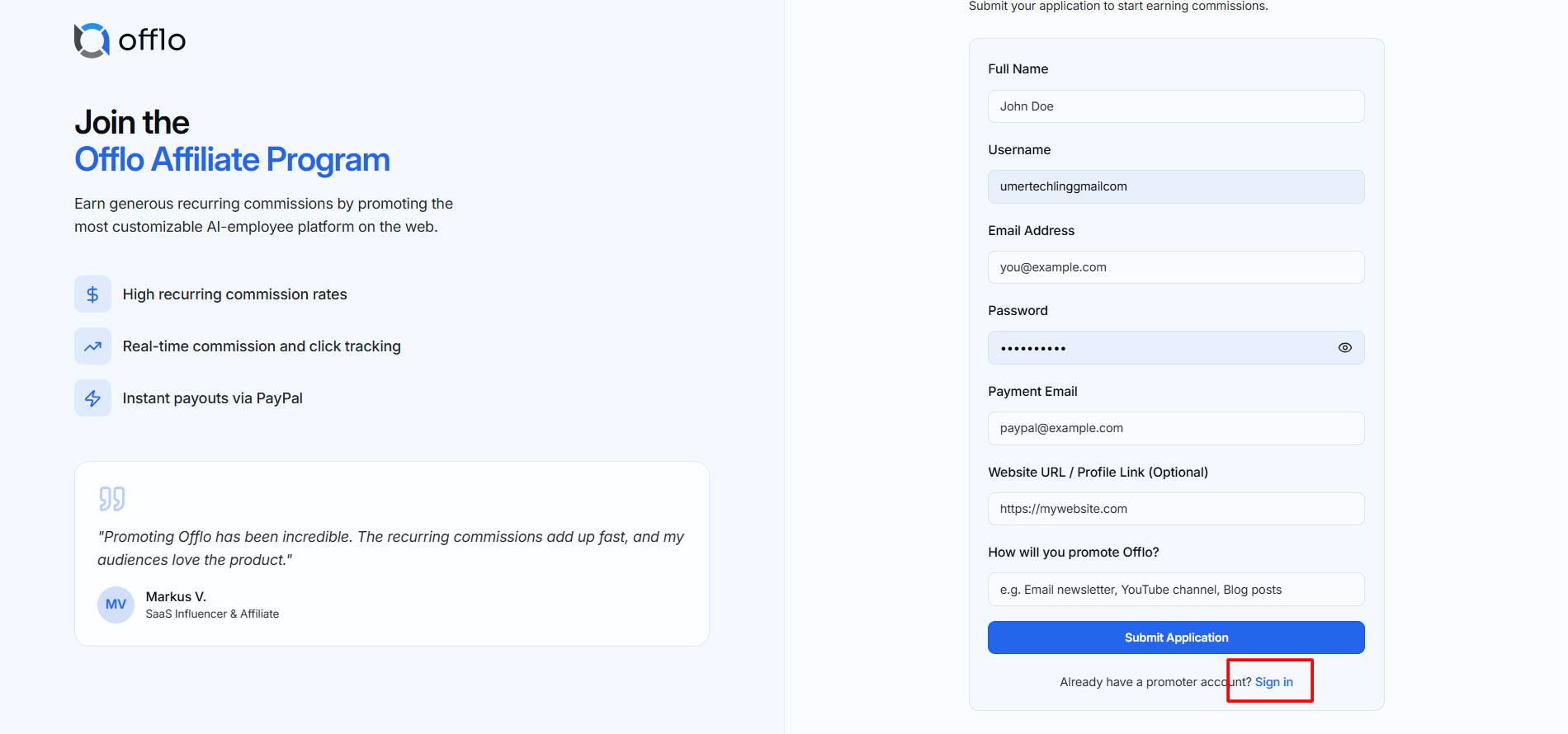
- Click Sign in below the application form.
- Enter your promoter account credentials.
- Access your Affiliate Program Dashboard.
After Application Approval
Once the administrator approves your application:
- Your account status changes to Active.
- A unique referral link becomes available on the dashboard.
- You can copy and share your referral link.
- Referral visits and registrations will be tracked automatically.
- You can start earning commission from eligible paid subscriptions.
Affiliate Program Dashboard
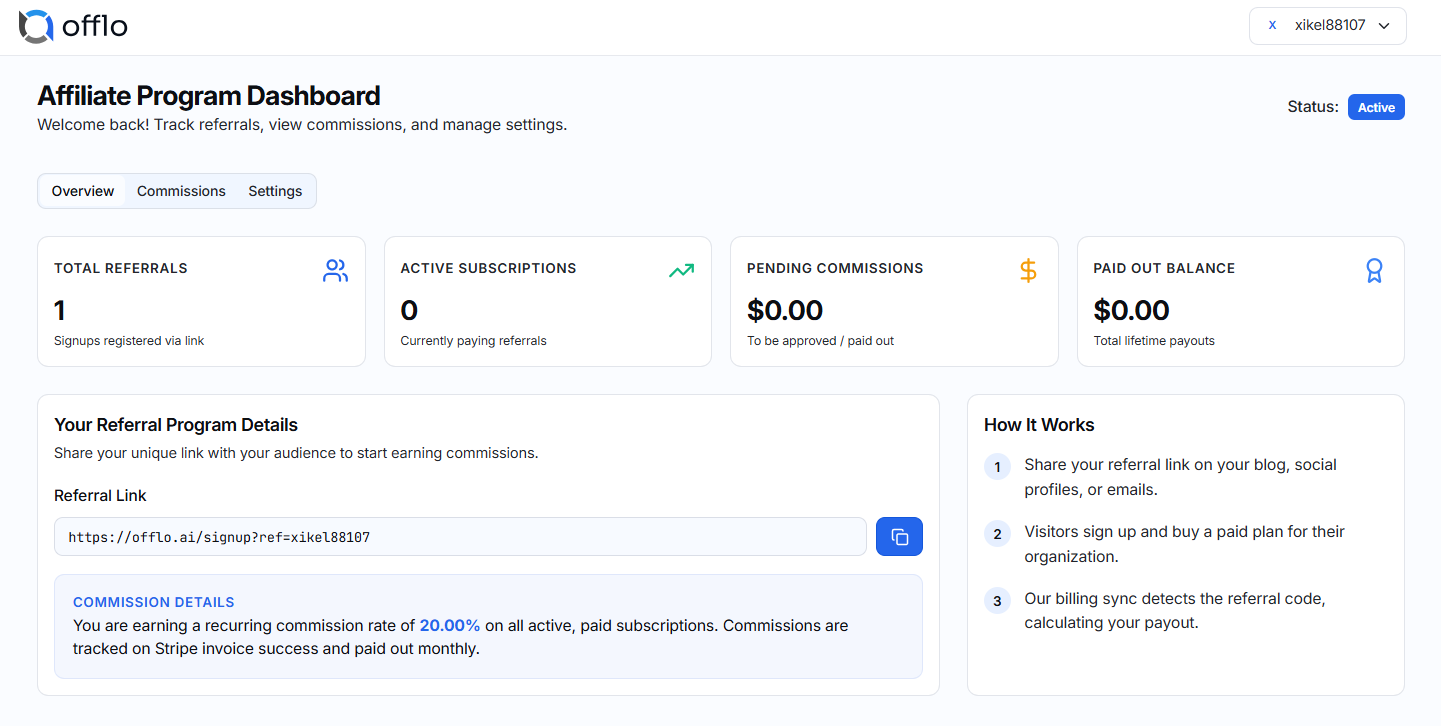
The Affiliate Program Dashboard allows you to track referrals, subscriptions, commissions, and payment information.
Overview
The Overview tab displays:
- Total Referrals: The total number of users who registered through your referral link.
- Active Subscriptions: The number of referred users who currently have an active paid subscription.
- Pending Commissions: Commission earned but not yet approved or paid.
- Paid Out Balance: The total commission that has already been paid.
Referral Link
Your unique referral link is available under Your Referral Program Details.
To use it:
- Click the Copy icon beside the referral link.
- Share the link through your website, blog, email, social media, or other promotional channels.
- Ask interested users to register through your link.
The system uses the referral code included in the link to identify customers referred by you.
Make sure you share the complete referral link. Removing or changing its referral code may prevent the referral from being tracked.
Earning Commission
When a user opens your referral link, creates an account, and purchases an eligible paid plan:
- The system detects your referral code.
- The subscription is connected to your promoter account.
- Commission is calculated using the rate assigned to your account.
- The earned amount appears under Pending Commissions.
- Once approved and processed, it is added to your Paid Out Balance.
Commission is earned according to the rate and payment conditions configured by the administrator.
Commissions
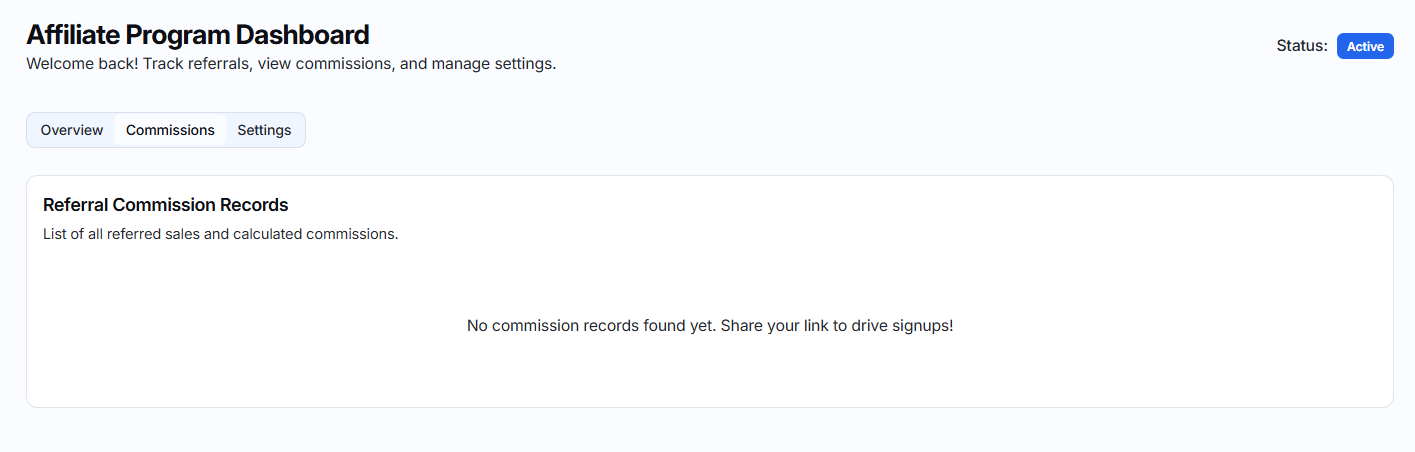
Open the Commissions tab to review your commission records. This section helps you monitor earned, pending, approved, and paid commissions.
Settings
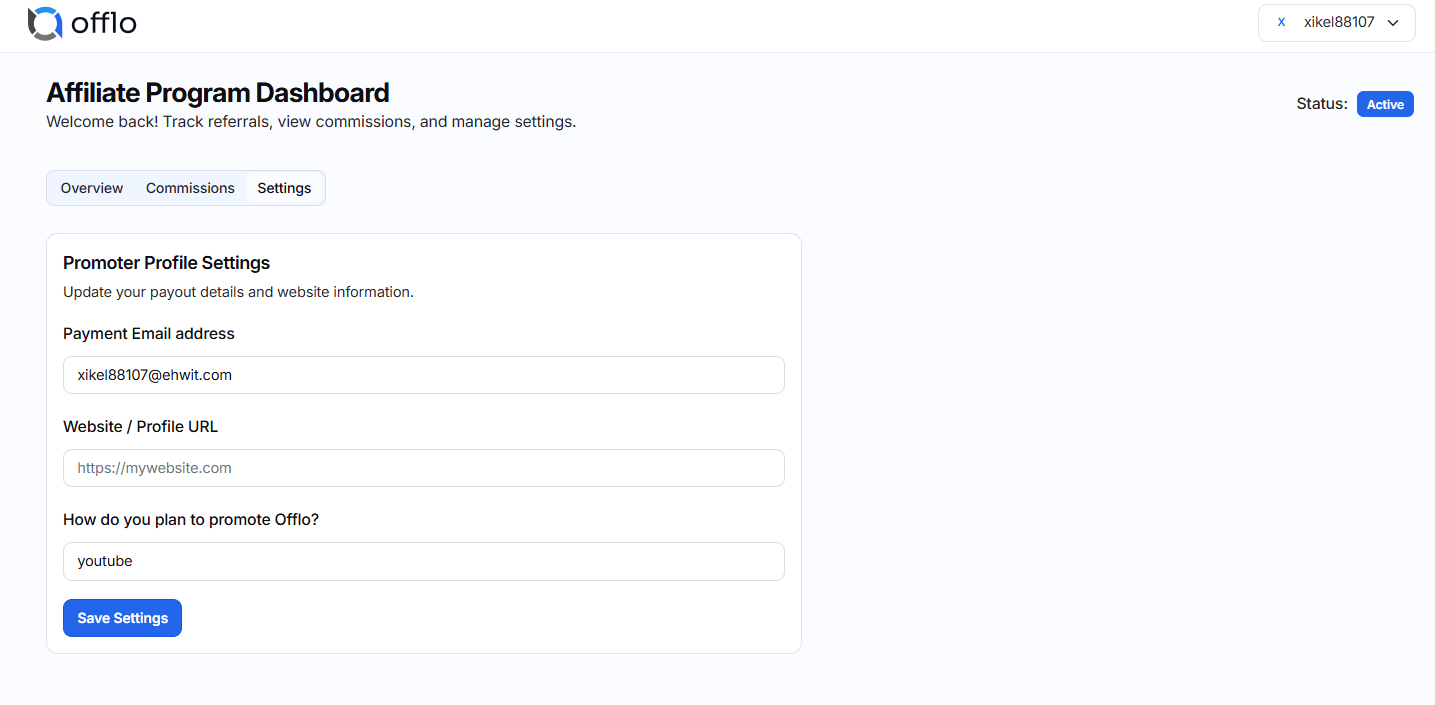
Open the Settings tab to view or manage available promoter account and payment settings.
Application Statuses
- Pending: Your application has been submitted and is waiting for administrator approval.
- Active: Your application has been approved, and you can use your referral link.
- Rejected: Your application was not approved. Contact the administrator if you require more information.
Important Notes
- A referral is tracked only when the user registers through your unique link.
- Commission is earned only on eligible paid subscriptions.
- Referral and commission information may take some time to appear after payment.
- Keep your payment email updated to avoid payout delays.
- Do not create multiple accounts or use misleading promotional practices.