
Forgot Password
If you have forgotten your password, Offlo provides a secure password recovery process. Follow the steps below to regain access to your account.
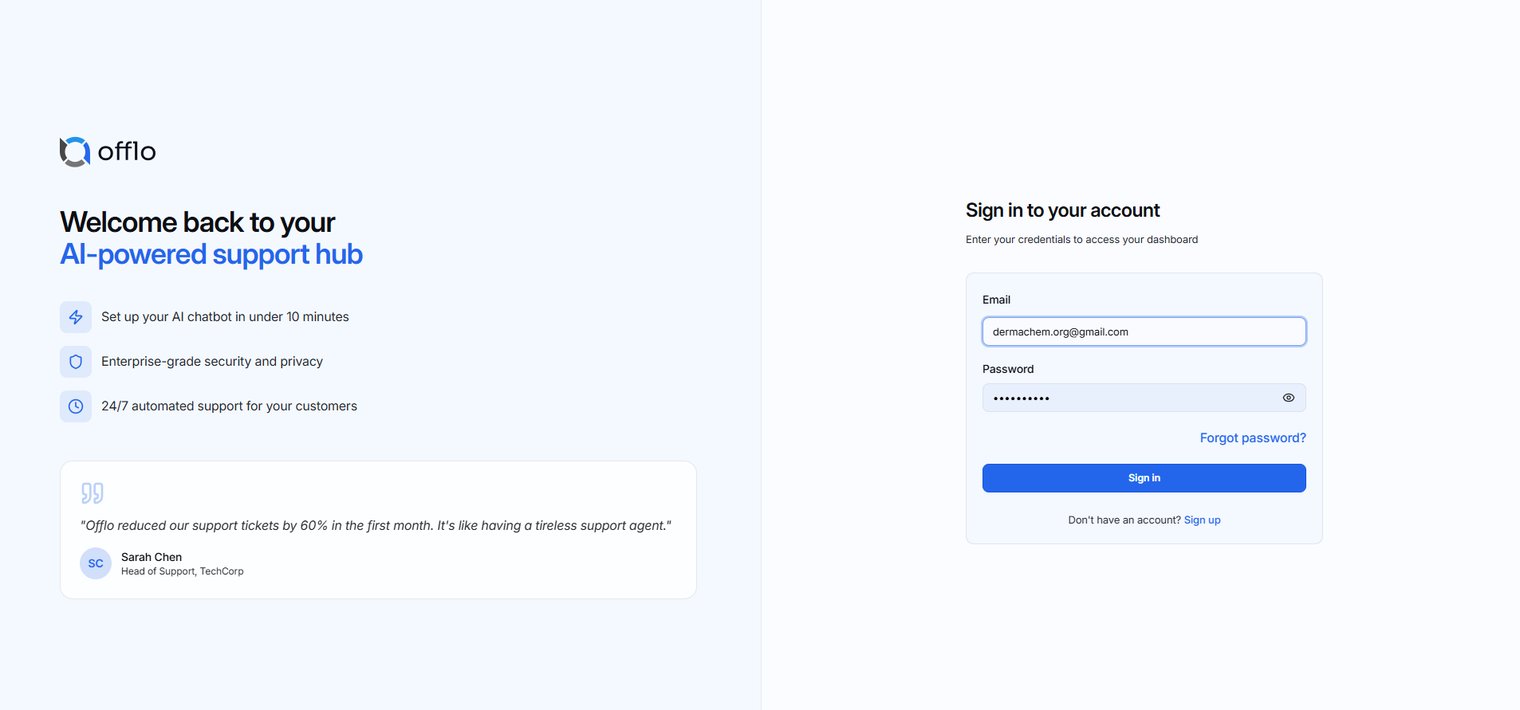
Step 1: Open the Sign In Page
Navigate to the Sign In page.
If you cannot remember your password, click the Forgot password? link located below the password field.
Expected Result: You will be redirected to the Reset Your Password page.
Step 2: Request a One-Time Password (OTP)
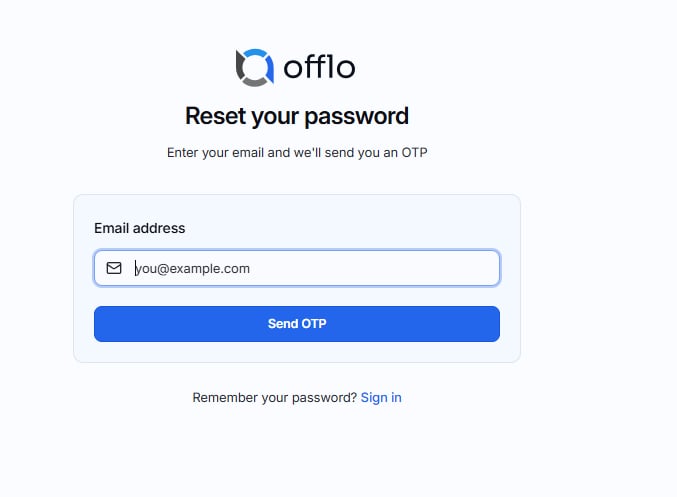
On the Reset Your Password page:
- Enter your registered email address.
- Click Send OTP.
Note: The email address must be associated with an existing Offlo account.
Expected Result: An email containing a 6-digit verification code (OTP) will be sent to your registered email address.
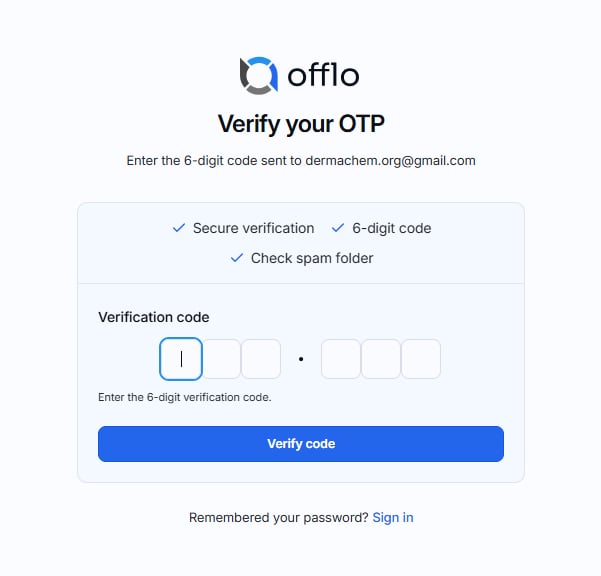
Step 3: Verify Your OTP
- After receiving the email:
- Open your email inbox.
- Copy the 6-digit verification code.
- Return to Offlo.
- Enter the verification code into the OTP fields.
- Click Verify Code.
Tip: If you don't receive the email within a few minutes, check your Spam or Junk folder.
Expected Result: The verification code is validated successfully, and you are redirected to the Create New Password page.
Step 4: Create a New Password
- After your OTP has been verified:
- Enter your new password.
- Confirm your new password.
- Click Reset Password.
Expected Result: Your password is updated successfully.
Step 5: Sign In
- Once your password has been reset:
- Return to the Sign In page.
- Enter your registered email address.
- Enter your new password.
- Click Sign In.
Expected Result: You are successfully signed in and redirected to your Offlo dashboard.
Password Requirements
- When creating a new password, ensure that it:
- Contains at least 8 characters.
- Includes at least one uppercase letter.
- Includes at least one lowercase letter.
- Includes at least one numeric digit