The Customers module is the central place for managing all customer contacts within the application. It allows you to organize contacts, create audience segments, and manage subscribers for marketing campaigns and follow-up communications.
The module consists of four main sections:
- Overview
- All Contacts
- Subscribers
- Saved Segments
Overview
The Overview page provides a high-level summary of your customer database and engagement.
From this dashboard, you can quickly monitor customer activity and review key metrics related to your contacts.
Depending on your organization's configuration, the Overview may include:
- Total Contacts
- Total Subscribers
- Unsubscribed Contacts
- Recently Added Contacts
- Customer Growth
- Campaign Performance
- Engagement Statistics
The Overview helps you understand the current state of your customer database without reviewing individual contacts.
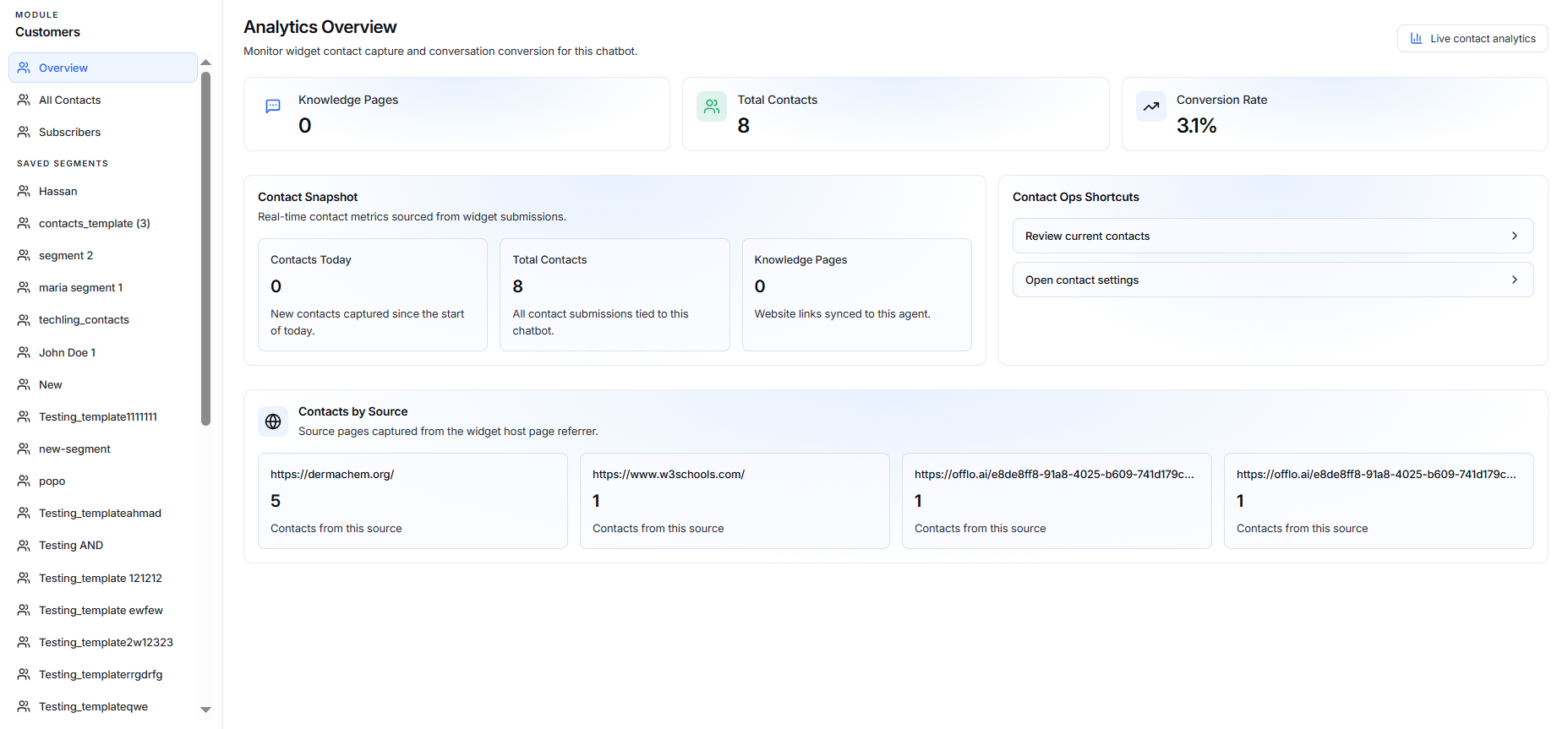
Analytics Summary
At the top of the page, you can see key metrics:
- Knowledge Pages – Number of knowledge pages connected to the chatbot.
- Total Contacts – Total number of contacts captured by the chatbot.
- Conversion Rate – Percentage of visitors who converted into contacts.
You can also select Live contact analytics to view contact activity in real time.

Contact Snapshot
The Contact Snapshot section provides an overview of your contact activity.
It includes:
Contacts Today
Shows the number of new contacts captured since the beginning of the current day.
Total Contacts
Shows the total number of contact submissions associated with the chatbot.
Knowledge Pages
Shows the number of websites or knowledge pages connected to the chatbot.
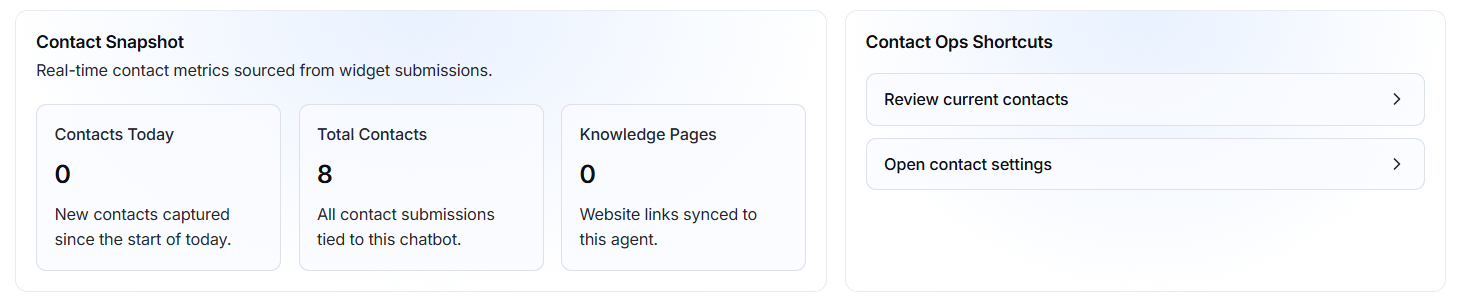
Contact Ops Shortcuts
The Contact Ops Shortcuts section provides quick access to commonly used contact management actions.
Review current contacts
Open the contact list so you can view and manage your contacts.
Open contact settings
Takes you to the contact settings where you can manage contact-related configurations.
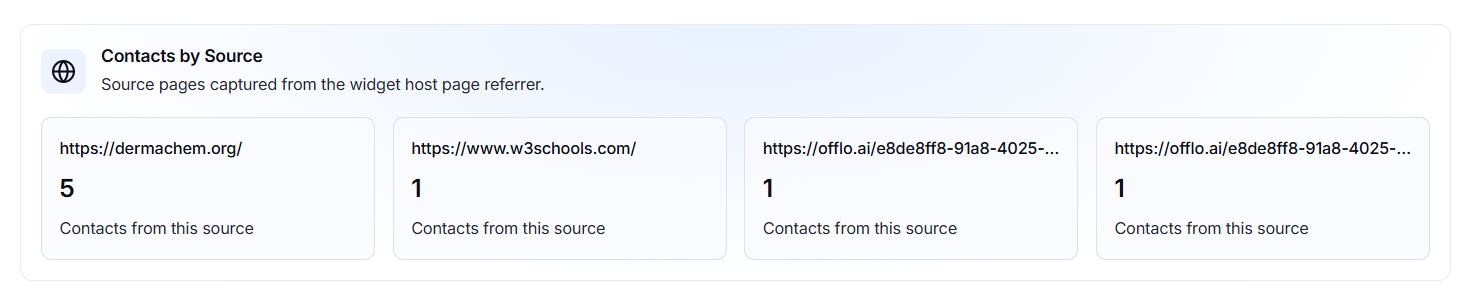
Contacts by Source
The Contacts by Source section shows where your contacts are coming from.
Each source displays:
- Source URL – The page or website where the contact was captured.
- Contact count – Number of contacts captured from that source.
This helps you identify which website pages or sources are generating the most contacts.