
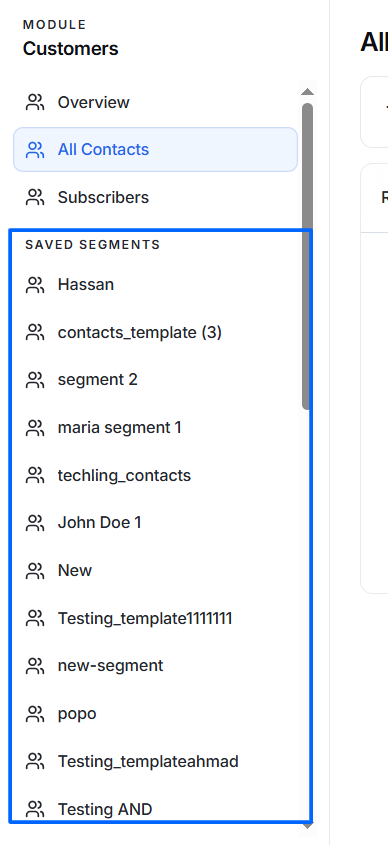
Saved Segments are reusable groups of contacts created using one or more filter conditions.
Instead of manually selecting contacts every time you send a campaign, you can save filtered audiences as segments and reuse them whenever needed.
Each saved segment appears in the left sidebar under Saved Segments.
Examples include:
- Newsletter Subscribers
- VIP Customers
- Dubai Customers
- Customers with Recent Purchases
- Trial Users
- Active Subscribers
Email Consent
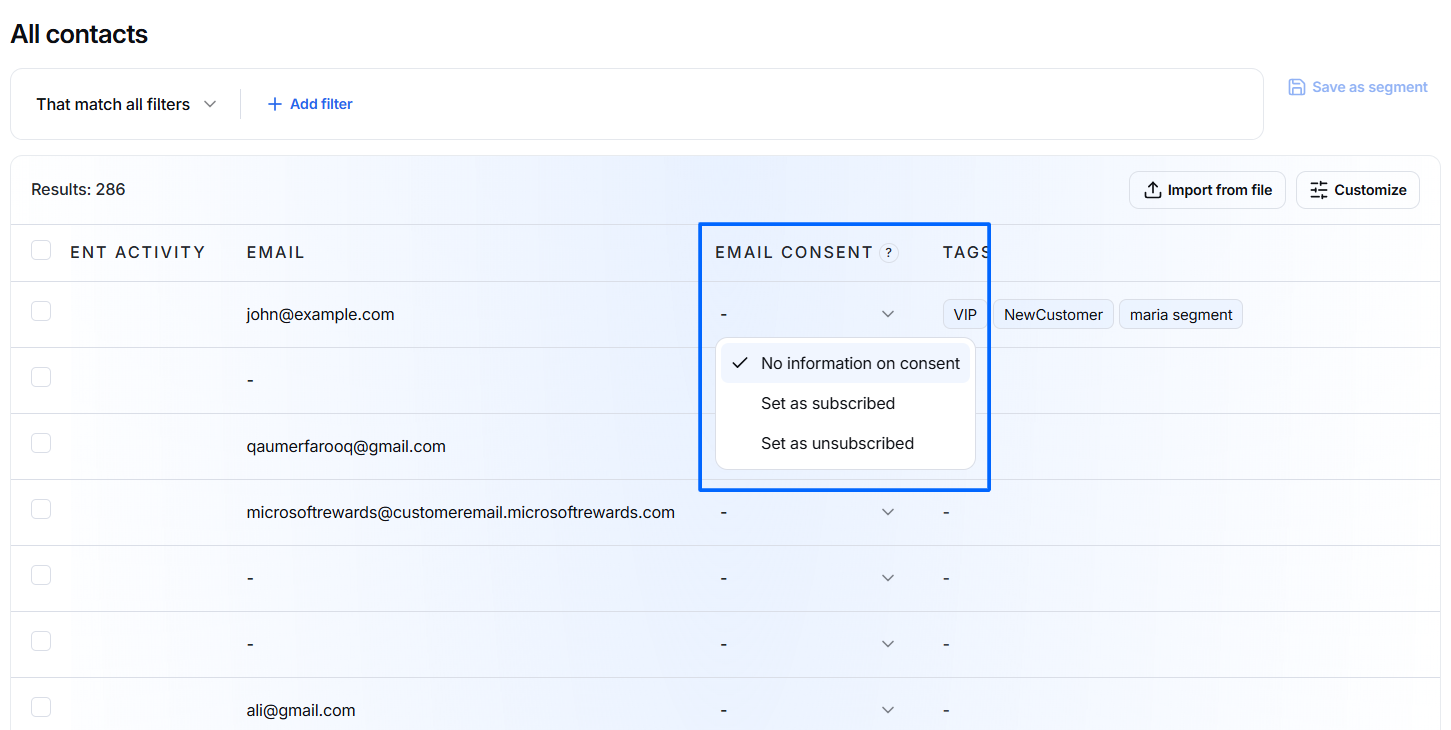
The Email Consent column shows the contact's current permission status for receiving email communication.
Click the dropdown in the Email Consent column to view or update the consent status.
Available options are:
- No information on consent – No email consent preference has been recorded for the contact.
- Set as subscribed – Marks the contact as subscribed to email communication.
- Set as unsubscribed – Marks the contact as unsubscribed from email communication.
The selected consent status is saved for the contact and can be used when creating email audiences or campaigns.
Tags
The Tags column displays the tags assigned to each contact.
Tags help you categorize and organize contacts based on their characteristics, interests, status, or business requirements.
A contact can have multiple tags at the same time.
For example, a contact may have:
- VIP
- NewCustomer
- maria segment
Another contact may have:
- Full Stack
- gdf
- techling_contacts
- whatsapp-support
Tags can also be used when filtering contacts or creating targeted segments.
Using Segments
Segments can be selected whenever you need to communicate with a specific group of customers.
You can use a saved segment to:
- Send email campaigns.
- Send promotional offers.
- Send newsletters.
- Schedule follow-up messages.
- Deliver product announcements.
- Share event invitations.
- Run targeted marketing campaigns.
- Communicate with specific customer groups based on tags or filters.
Because segments are dynamic, they continue to represent contacts that match the saved filter criteria.
Tags
Tags help organize and categorize contacts.
Examples include:
- VIP
- Dubai
- Newsletter
- Customer
- Prospect
- Trial
- Premium
Tags make it easier to search, filter, and build customer segments.
Email Consent
The Email Consent field indicates whether a contact has agreed to receive marketing emails.
Possible statuses include:
- Subscribed – The contact has opted in and can receive marketing communications.
- Unsubscribed – The contact has opted out and should not receive promotional emails.
Only Subscribed contacts appear in the Subscribers section.